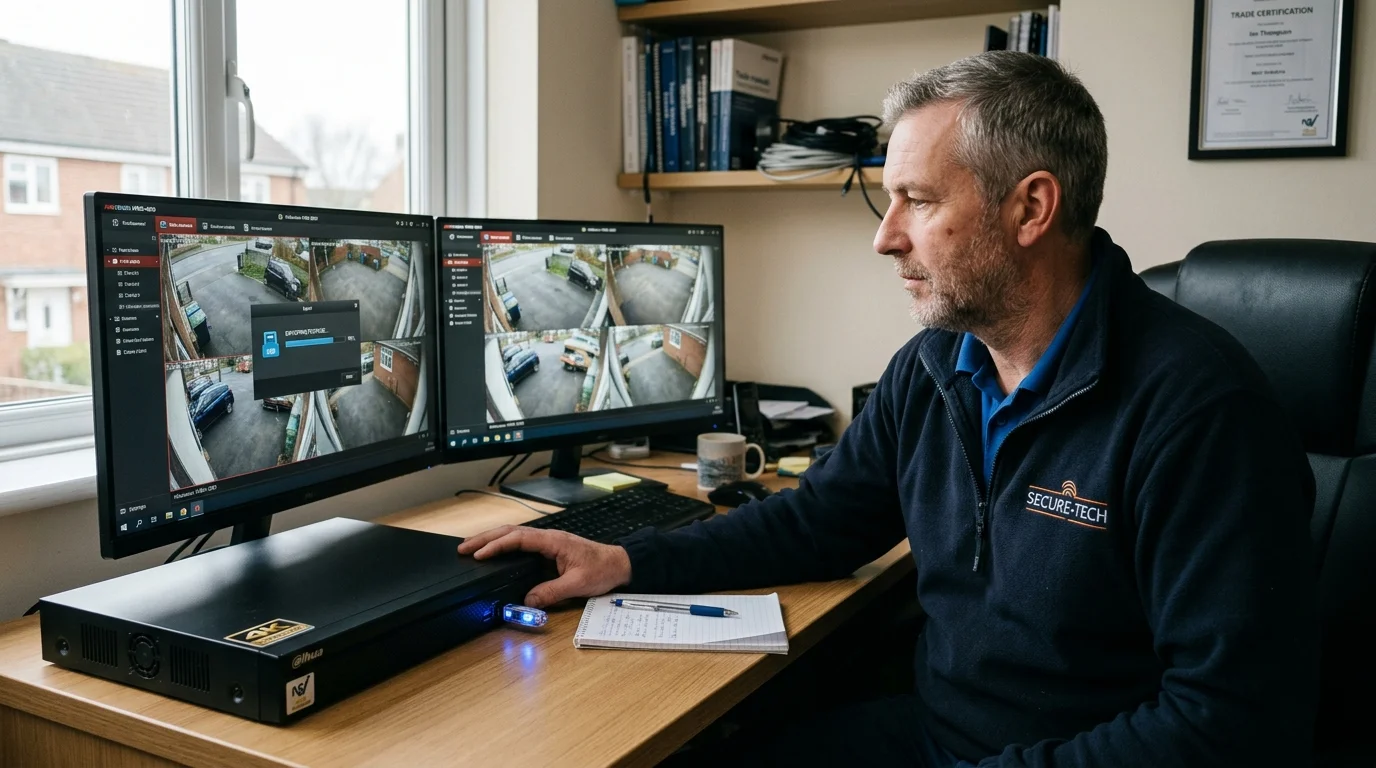

If your CCTV has captured a crime, accident, break-in or other incident, export the footage as soon as possible before your recorder overwrites it. The safest approach is to preserve the original recording from the NVR or DVR, keep the exported file in its native format where possible, and provide the police with the relevant footage together with the date, time and camera information. GOV.UK guidance specifically recommends that CCTV systems intended for police use can securely store, export and replay footage without unnecessarily reducing its quality.
Something Has Happened on Your CCTV — What Should You Do First?
If a crime happens on your property, act fast. Do not wait for police to arrive before you act. Knowing how to save CCTV footage for police is vital.
Most home and business CCTV systems overwrite old video when full. The disk writes on a loop. If you wait days for an officer, the clip may vanish. You must save CCTV footage before it is overwritten.
Check these five points right away:
- The time of the event: Note the exact hour and minute the incident took place.
- The camera channel: Check which cameras saw the person or car.
- The system clock: Look at the time on screen. Check if it matches UK phone time.
- Drive space left: See how many days of recorded history remain on disk.
- A spare USB memory stick: Find a USB drive with at least 16GB free space.
Police officers deal with heavy workloads. Response visits often take days. If you leave the video on the box, the hard drive will delete it. Learn how to save CCTV footage now and keep it safe on a desk.
CCTV Incident Checklist: 5 Things to Do Immediately After an Incident
Follow these five critical trade steps immediately to protect vital video evidence and avoid accidental deletion:
-
1
Check system clock accuracy: Compare the recorder clock with exact UK time on your phone. Record any time discrepancy on paper immediately.
-
2
Tag or lock the recording: Open your NVR or DVR playback menu and lock the incident video clip to prevent circular overwriting.
-
3
Insert a FAT32 USB drive: Plug a clean USB flash drive formatted to FAT32 directly into the front USB port of your recorder.
-
4
Export native format plus MP4: Export the master native file (.DAV, .HIK) with its bundled player, then export a secondary MP4 viewing copy.
-
5
Complete a police hand-off sheet: Note camera ID, start/end timestamps, date, officer collar number, and police crime reference number.
How to Save CCTV Footage for Police from an NVR (Step-by-Step)
A Network Video Recorder (NVR) stores video from digital IP cameras. Understanding how to export CCTV footage from NVR units is simple once you know the menu layout.
Here is how to copy video to an external memory stick:
- Step 1 — Format your drive: Plug your stick into a PC. Format it to FAT32. NVR boxes do not read NTFS sticks.
- Step 2 — Plug drive into NVR: Put the stick in the front port. The unit will beep or show a disk icon.
- Step 3 — Open Playback: Log in with your password. Click the Playback icon on the home screen.
- Step 4 — Select camera and date: Pick the camera channel. Click the date on the calendar.
- Step 5 — Find the clip: Look at the 24-hour bar. Find the time where the car or person appears.
- Step 6 — Set start and end points: Use the clip tool. Add ten minutes before and after the event.
- Step 7 — Click Export: Hit the backup button. Choose your USB stick from the list.
- Step 8 — Pick the format: Choose native video plus player. Wait until the bar hits 100 percent.
- Step 9 — Remove drive safely: Take the stick out. Test it on a laptop to ensure it plays.
This step gives you clean CCTV video evidence UK courts will accept.
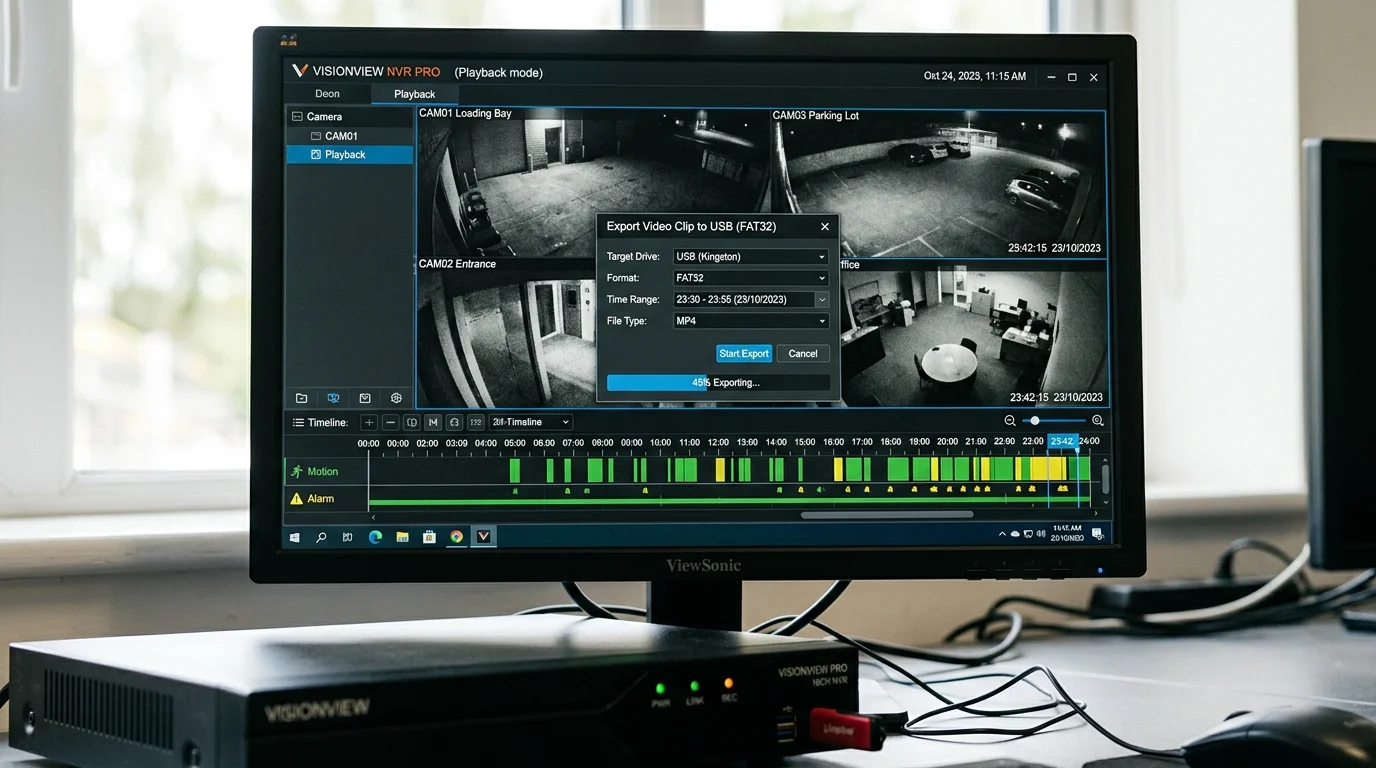
How to Export CCTV Footage from a DVR Recorder
A Digital Video Recorder (DVR) runs on coax cables with BNC plugs. If you have an older system, you need to know how to export CCTV footage from DVR units.
DVR units often save files as .DAV or .HIK files. Standard video apps on Windows or Mac will not open them. That is normal. These files have built-in digital seals to stop tampering.
Follow these simple rules for DVR backups:
- Always tick the box to include the player tool on your USB drive.
- Save a second copy in standard AVI or MP4 format if your box supports it.
- Never rename the raw video files. The default name contains the date, time, and camera number.
Saving CCTV footage to USB takes only five minutes when your drive is ready.
Native Formats vs MP4: Why You Must Use the Two-Copy Rule
Experienced trade engineers always use the two-copy rule. Knowing how to give CCTV footage to police correctly saves vital hours.
Here is why you should make two copies:
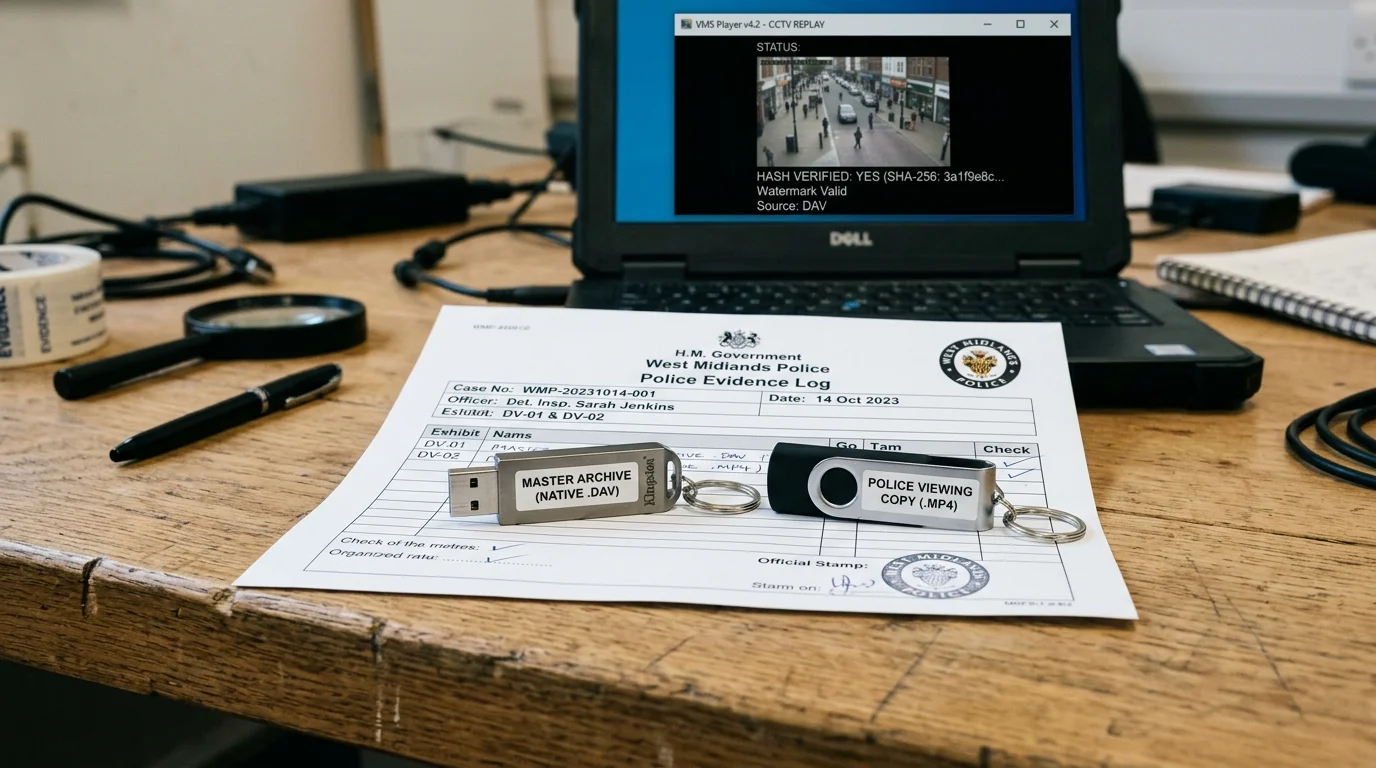
- Copy 1 — Master Native File (.DAV or .HIK): This is the exact raw video from the hard drive. It holds the true resolution, full frame rate, and security watermark. The Crown Prosecution Service needs this master file to prove the video was never altered.
- Copy 2 — Officer Viewing Copy (.MP4): Police patrol officers need to view clips fast. Frontline laptops often block new software installs. A standard CCTV footage MP4 file plays on any phone or laptop right away. Officers can view it in their car and radio suspect details to other units.
By giving the police both files, you help officers catch suspects fast while keeping legal CCTV evidence safe for court.
Can You Download CCTV Footage Directly from a Phone App?
Phone apps like Hik-Connect and DMSS are great for quick live checks. But you should not rely on them for police evidence.
When you try how to download CCTV footage through an app, you face three real issues:
- Low sub-stream quality: Apps use a low-detail sub-stream to save mobile data. Saving from your phone screen gives you a blurry image. Faces and number plates will be hard to read.
- Lost security marks: Phone app video clips often lack the raw digital hash. Without this mark, lawyers can question the proof in court.
- Wi-Fi frame drops: A weak mobile signal can cause choppy video or missing seconds.
Use your phone to show an officer what happened. But always plug a USB drive into the main recorder to pull the full 4K file.
How Hard Drive Overwriting Works: Why CCTV Footage Disappears
Many people ask: how long does CCTV footage last on a home recorder? The answer depends on your hard drive size and camera count.
Surveillance drives record on a loop. When the disk is full, the oldest day is erased to make room for new hours. If you leave the recorder alone, your clip will be lost as CCTV footage overwritten by new video.
Key factors that change your storage time:
- Disk size: A 4TB drive holds four times more video than a small 1TB disk.
- Number of cameras: Four cameras fill a drive twice as fast as two cameras.
- Resolution: A 4K camera uses more space than a basic 1080p camera.
- Video codec: Modern H.265 compression saves half the space of older H.264 video.
Once the disk writes over old data, you cannot recover it. That is why you must how to copy CCTV footage onto a thumb drive as soon as possible.
Estimate Your CCTV Retention & Overwrite Deadline
Adjust the sliders below to calculate how many days your recorder preserves footage before the circular overwrite cycle erases vital evidence.
UK ICO & GDPR Retention Rules: Debunking the 30-Day Myth
There is a common myth that you must delete all CCTV clips after 30 days. That is not true under UK law.
The Information Commissioner's Office (ICO) does not set a strict 30-day rule. Instead, the law says you must only keep video for as long as needed.
Here is how the rules work in practice:
- Daily video with no crime: Keep daily video for 14 to 31 days. Deleting clean footage after a month keeps you safe with privacy rules.
- Crime and crash video: If you capture a break-in or damage, you have a legal right to keep the file. You can save CCTV footage for insurance claims and police investigations as long as the case runs.
- Save only the event: Export the crime clip to a memory stick. Let your main box keep running its normal daily cycle.
Legal Admissibility in UK Courts: Chain of Custody & PACE 1984
For video to stand up in a UK court, it must follow clear rules. Defense solicitors often try to throw out CCTV clips.
Lawyers look for common mistakes:
- Gaps in the recording that suggest cuts or edits.
- A system clock that shows the wrong time or date.
- No clear record of who held the USB stick.
- Heavy compression that blurs the suspect's face.
Write a short signed note when you hand the drive to an officer. State your name, the date, the camera name, and that the video is an exact copy from your recorder. This simple step protects your CCTV footage police UK evidence in court.
The CCTV Incident Details Log Sheet: What Information Police Require
When an officer collects video, they need key facts for their case file. Providing a clean CCTV footage export sheet speeds up the enquiry.
Write down these facts clearly:
- Crime reference number: The reference given by the police call handler.
- Officer collar number: The badge number of the officer taking the drive.
- Camera channel name: For example, "Camera 2, Front Driveway".
- Exact start and end time: The hour, minute, and second of the clip.
- Clock offset: Note if your recorder is fast or slow compared to true UK time.
- USB make and size: The brand and capacity of the flash drive.
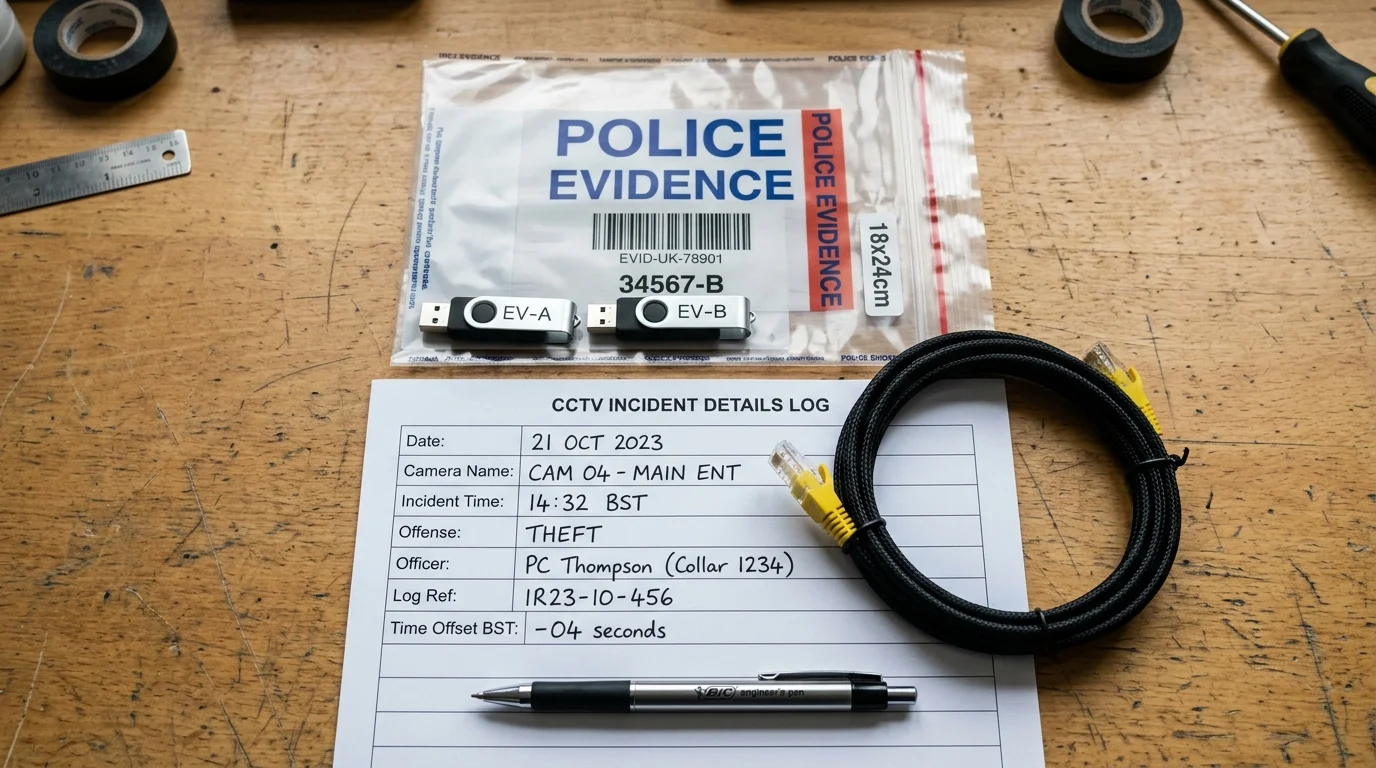
Generate Your Printable Police Hand-Off Slip
Fill in the details below to generate a formatted technical handover statement ready to print or copy into an email for the investigating officer:
System Clock Drift & British Summer Time (BST) Offset
Clock drift causes big headaches in court. If a recorder is not linked to the web, its internal clock will drift by two to three minutes a year.
The switch to British Summer Time (BST) in spring can also throw the clock off by one hour if not set correctly.
Important Trade Rule: Never change the time settings while an investigation is on. Changing the clock can corrupt your video index.
Instead, hold your mobile phone next to the monitor screen. Take a clear photo showing both times together. Note down the time difference on your evidence log. That gives police a clear paper trail without touching the system.
Whole Incident Recording vs Short Clips: Don't Crop Too Closely
When people save footage, they often cut the clip too short. Saving only 20 seconds of an attack is a common error.
Surveillance engineers advise exporting a wider block of time:
- 15 minutes before the event: Shows scouts walking past, suspicious cars, or accomplices waiting down the road.
- 15 minutes after the event: Shows which way the suspect ran, their vehicle make, and when police arrived.
- Every camera angle: Save all cameras that cover the area at that time.
A broad timeline stops defense lawyers claiming that key details were left out.
Troubleshooting Common CCTV USB Export Failures
If your recorder shows errors when saving to a USB stick, check these points:
- Drive not seen by recorder: Re-format the stick on a PC using FAT32. NVRs will not recognize NTFS drives.
- Export fails partway: Large 4K files need lots of space. Use a 32GB or 64GB drive with plenty of room.
- Forgot your password: Contact your installer for an engineer reset code. Do not pull the power cord.
- CCTV footage not recording: If the timeline is blank, check if motion sensors were disabled or if a drive has failed.
Why Hardwired Installation Quality Matters for Police Evidence
The best export skills will not help if your camera failed to record.
We often see cheap wireless battery cameras fail when crimes happen. Battery cameras wake up too slowly, missing the start of break-ins. Wi-Fi dropouts can also cause missing video clips.
A professional wired system gives you real peace of mind:
- Pure copper Cat6 PoE cables: Solid signal with zero Wi-Fi drops.
- 24/7 non-stop recording: Never miss an event due to a late motion trigger.
- Surveillance hard drives: Built for heavy, non-stop read and write cycles.
- Correct camera lenses: Crisp identification at property gates and doors.
Knowing how to save CCTV footage for police gives you the tools to help police when trouble strikes. For a quote on modern wired cameras, read our UK CCTV installation cost guide or speak with our team.
Listen to Gary Pearce on Saving CCTV Evidence for UK Police
Short on time? Play this trade debrief. We review the 5-point incident checklist, the Two-Copy Rule, and how to avoid rolling overwrite losses.
Frequently Asked Questions About Saving CCTV Footage for Police
Direct trade answers to common questions on video evidence, USB formats, retention laws, and police handovers.
How do you save CCTV footage for the police? ▼
Insert a FAT32-formatted USB drive directly into your NVR or DVR recorder. Open the Playback or Export menu, select the incident camera, pick the date and time window with a 15-minute buffer before and after, and export in native format alongside an MP4 copy. Note the true system time offset on a log sheet.
What format do UK police want CCTV footage in? ▼
UK police prefer the master recording in the recorder's native format such as DAV or HIK because it preserves cryptographic watermarks and full video resolution. Providing a secondary MP4 viewing copy allows officers to watch the incident immediately on mobile laptops without installing specialist software.
How quickly must I save CCTV footage before it gets overwritten? ▼
You should export the footage immediately. Most home and commercial CCTV recorders use circular hard drive recording, automatically deleting the oldest video once the drive is full. Depending on your drive size and camera count, recordings may overwrite in as little as 4 to 14 days.
Can I give police CCTV footage recorded on my phone screen? ▼
A phone recording of a screen or a mobile app sub-stream clip is helpful for immediate officer briefing, but it may be rejected as primary court evidence. Mobile app downloads are often compressed low-resolution sub-streams that lack embedded timecode watermarks and forensic detail.
What file system format does a CCTV USB drive need to be? ▼
Almost all CCTV NVRs and DVRs require a USB stick formatted to FAT32. Recorders frequently fail to recognize drives formatted to modern Windows NTFS or exFAT file systems. Use a 16GB to 64GB USB 2.0 or USB 3.0 flash drive formatted to FAT32 before plugging it into the recorder.
How long does CCTV footage last on an NVR or DVR? ▼
CCTV footage duration depends on hard drive capacity, camera count, frame rate, and compression. A 4TB drive running four 4K cameras with H.265 typically retains continuous footage for 18 to 25 days before circular overwriting begins.
What if my CCTV recorder system clock is wrong? ▼
Never change the system clock while an investigation is pending, as changing the time can corrupt internal recording indexes. Instead, calculate the exact difference between the recorder clock and true UK time, then record this offset clearly on your evidence handover log.
Do UK police accept CCTV footage sent by email or WhatsApp? ▼
Officers often request quick clips via force upload portals or email for immediate identification. However, messaging apps compress video heavily, stripping critical metadata. Always back up the native uncompressed file to a physical USB drive for the formal evidence bundle.
How much footage should I export around an incident? ▼
Export at least 15 minutes before the incident and 15 minutes after. Capturing a wider timeline proves who was present, records suspect arrival and departure directions, and shows that footage has not been edited selectively.
Can I lock recordings on my NVR to prevent deletion? ▼
Yes. Most Hikvision, Dahua, HiLook, and SPro recorders allow you to tag or lock specific video files in the Playback interface. Locked files are shielded from the circular overwrite loop and remain on the hard drive until manually unlocked.
Is there a 30-day legal limit on keeping domestic CCTV footage in the UK? ▼
No. The Information Commissioner's Office does not prescribe an arbitrary 30-day cutoff. Under UK GDPR, you should only retain footage as long as necessary for security purposes. If an incident has occurred, you have a legitimate interest to retain the specific evidence indefinitely.
Why does my CCTV say no footage found when I know an incident happened? ▼
Common causes include selecting the wrong camera channel, date confusion, camera motion detection failing to trigger, a failing hard drive, or the recorder clock drifting significantly away from real time.
Need Help Recovering or Exporting CCTV Footage?
If you are struggling to export crucial CCTV evidence for a police investigation or insurance claim, or if your recorder password is locked, speak directly with lead surveillance engineer Gary Pearce for rapid technical assistance.